A Digital Portfolio for Teachers and Students: All About Oxford Learner's Bookshelf
Modern education has long moved beyond heavy backpacks, stacks of printouts, and homework lost in notebooks. The learning environment is becoming mobile, and the best educational resources are now accessible in just one click.
Oxford Learner's Bookshelf (OLB) is a digital platform by Oxford University Press that transforms any tablet, laptop, or smartphone into a fully-functional interactive classroom.
Let’s explore why OLB has become an indispensable assistant for thousands of English teachers and students, and how it makes English lessons truly dynamic.
What is Oxford Learner’s Bookshelf?
It is not just "digital books in PDF format." OLB is a complete ecosystem of digital coursebooks (e-books) and workbooks (graded readers, workbooks) enhanced with multimedia tools.
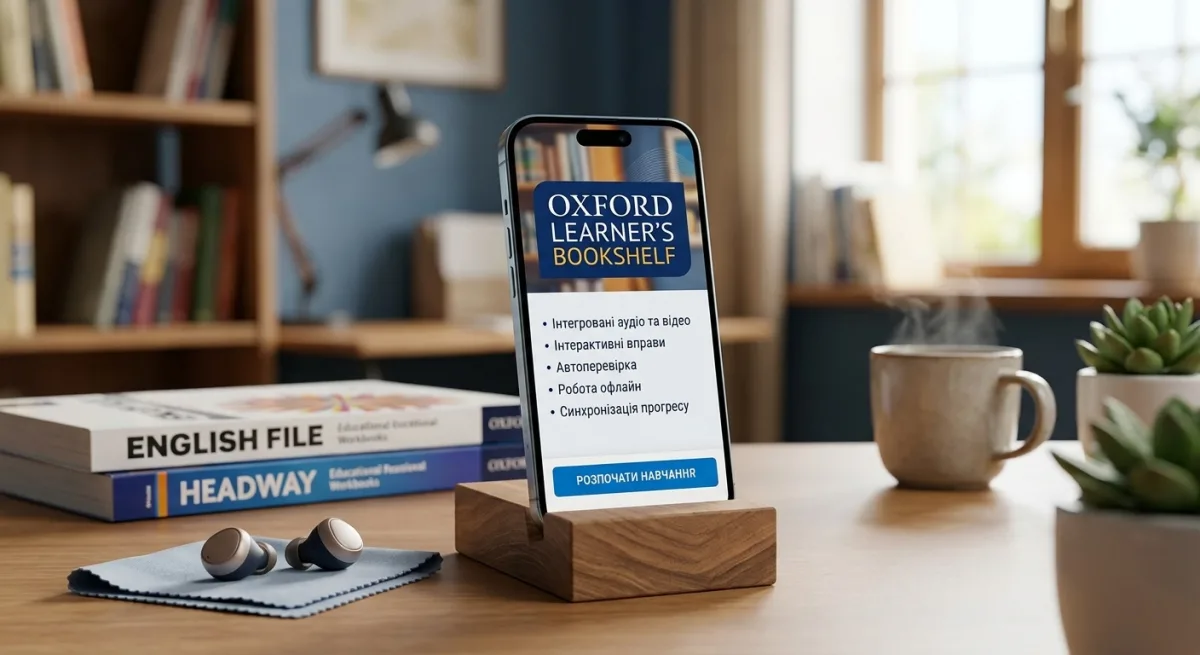
It features over 1,000 graded readers and the publisher's most popular coursebooks — from Oxford Phonics World for young learners to English File and Headway for adults.
5 Reasons Why Teachers and Students Choose OLB
1. Everything in One Place: Integrated Audio and Video
No more searching for the right track on CDs, flash drives, or external websites. Simply tap the audio icon right next to the exercise, and the recording plays instantly. The same applies to educational videos.
2. Interactivity and Automatic Grading
Students can complete exercises directly within the e-book: type in answers, select options from drop-down menus, or match elements. Many coursebooks feature an instant check function (Check Answers), significantly saving teachers time on routine homework grading.
3. Convenient Classroom Tools
During online or in-person lessons, an interactive whiteboard or computer screen transforms into an active workspace:
Zoom and Focus: Enlarge any exercise or illustration to fill the entire screen.
Bookmarks and Notes: Add text or voice comments to pages.
Highlighters and Pens: Highlight grammar rules, underline new vocabulary, or draw directly on the book page.
4. 24/7 Access — Even Offline
A user-friendly app for iOS, Android, and PC allows you to download the required coursebooks to your device. If you suddenly lose connection or power, you will still have access to your books, audio, and completed exercises offline.
5. Multi-Device Syncing
Started preparing a lesson on your laptop at home and delivering it from a tablet at school? All your notes, bookmarks, and student progress automatically sync through your Oxford ID account.
How to Get Started with Oxford Learner’s Bookshelf
Taking the step toward modern learning is simple:
Create an Account: Register on oxfordlearnersbookshelf.com or download the app onto your device (if you already have an Oxford ID from Oxford English Hub, use it to log in).
Activate Your Code: Enter the access code you received with your coursebook or purchased separately.
Download and Learn: Open the book in your browser or download it to the app for offline work.